BIM Checker Dashboard
Purpose
The BIM Checker Dashboard serves as the central mission control for digital twin quality assurance and statutory engineering compliance. It consolidates model health metrics, spatial rule execution summaries, and audit trail records across all federated disciplines—enabling project directors, BIM managers, and lead reviewers to verify project readiness before critical design milestones and tender gateways.
Key Dashboard Zones
1. Project Context & Selection Bar
Located at the top of the interface, the Context Bar establishes the active working scope:
- iTwin Selector: Select the active infrastructure program or healthcare facility project.
- iModel Selector: Select the target digital twin container (e.g.,
IFC_Hospital,Viaduct_Section_A). - Changeset Navigator: Displays the currently bound changeset hash and verification status. Instance-level rule evaluation and aspect writebacks strictly target this synchronized state.
- Audit Profile Badge: Shows the currently applied statutory standard profile (e.g., UK NHS Healthcare Standards, HS2 High Speed Rail, Highways BD 37/01).
2. Executive Scorecard
The executive banner provides immediate feedback on model readiness:
- Overall Compliance Score: The percentage of evaluated elements passing statutory and technical clearance thresholds.
- Evaluated Elements: Total count of physical, spatial, and MEP elements scanned during the latest validation execution.
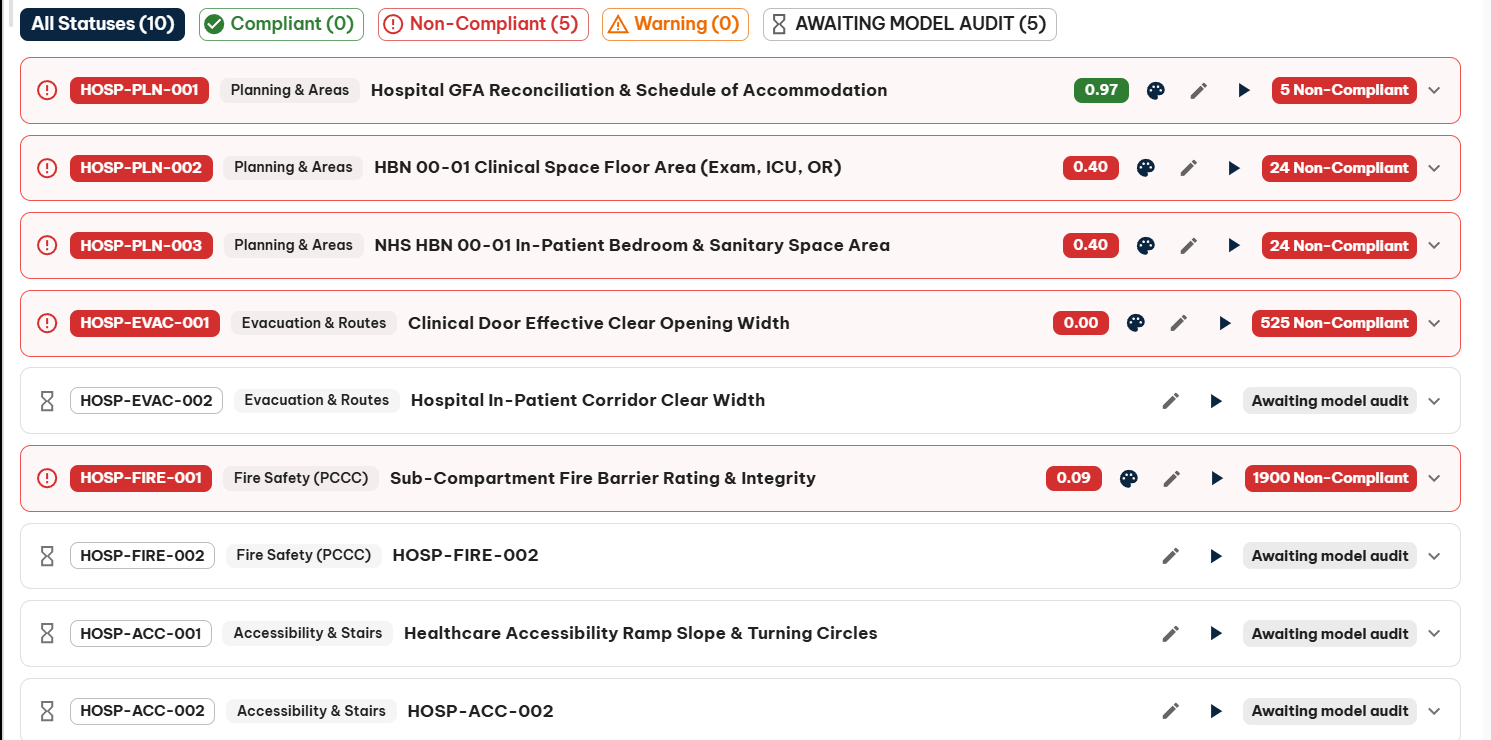
- Critical Defects: Immediate count of non-compliant conditions (e.g., door widths below emergency bed-transfer limits, MEP duct soffit head height clashes, corridor bottlenecks).
- Warning Buffer Alerts: Proximity alerts where elements satisfy statutory minimums but fall within the precautionary buffer zone (e.g., within 250mm of kinematic structure gauges).
3. Statutory & Engineering Profiles
BIM Checker supports multi-jurisdiction rule configurations tailored to sector-specific design codes:
| Profile | Governing Standards | Primary Verification Focus |
|---|---|---|
| UK NHS Healthcare | NHS HBN 00-01, HBN 00-04, HTM 05-02, BS 8300-2 | Net clinical room areas, effective door clear widths (accounting for frame stops and open door leaves), bed transport corridor bottlenecks, MEP duct soffit headroom, fire compartment wall & door ratings. |
| High-Speed Rail & Tunnels | HS2-ENG-SPE-000-000001, BS EN 50122-1, SRT NTSN | 25kV OLE pantograph electrical clearances (OCLZ/CCZ), kinematic structure gauges, cross-passage spacing, egress walkway clearances. |
| Highways & Civils | Design Manual for Roads & Bridges (BD 37/01, H9/71) | Minimum highway underpass headroom ($\ge 5.10\text{m}$), maintenance strip clearances ($\ge 4.25\text{m}$), pier impact offsets. |
Quick Navigation & Core Modules
From the Dashboard and main navigation sidebar, you can transition directly into specialized auditing tools:
- Model Quality: Inspect ISO 19650 container health indicators, naming patterns, duplicate bounding boxes, and schema class distributions.
- iModel Browser: Explore the spatial breakdown hierarchy, discipline federations, and model version changesets.
- BIM Requirements: Launch the full 3D interactive audit workbench to configure rules, sweep clearance envelopes, and isolate geometric defects in the 3D viewport.
- Property Analysis: Run deep ECSQL queries and audit dynamic property distributions across building elements.
- Settings: Manage multi-tenant configuration profiles, parameter overrides, and white-label preferences.
- Hospital Walkthrough Example: Step-by-step tutorial configuring and validating an end-to-end healthcare facility model.
[!TIP] Always verify that your target iModel is fully synchronized to its latest changeset before publishing statutory audit reports. BIM Checker enforces a zero-ghost-element policy to ensure all report metrics match the live Bentley iModel repository link timestamps.