BIM Requirements & Rule Engine
Purpose
The BIM Requirements module is the analytical core of BIM Checker. While traditional clash detection software only detects physical intersections between geometric meshes, the BIM Checker Rule Engine evaluates multi-dimensional statutory, spatial, and semantic engineering standards.
It combines high-speed ECSQL candidate harvesting with rigorous analytical handlers to audit parameters such as effective door clear widths (accounting for door frame stops and door leaf thicknesses), floor-to-soffit vertical headroom under MEP drops, medial-axis corridor bottlenecks, clinical room areas, and fire compartment ratings.
Rule Architecture & Handler Catalog
Every rule in BIM Checker is defined by a declarative configuration specification and executed by a dedicated domain handler:
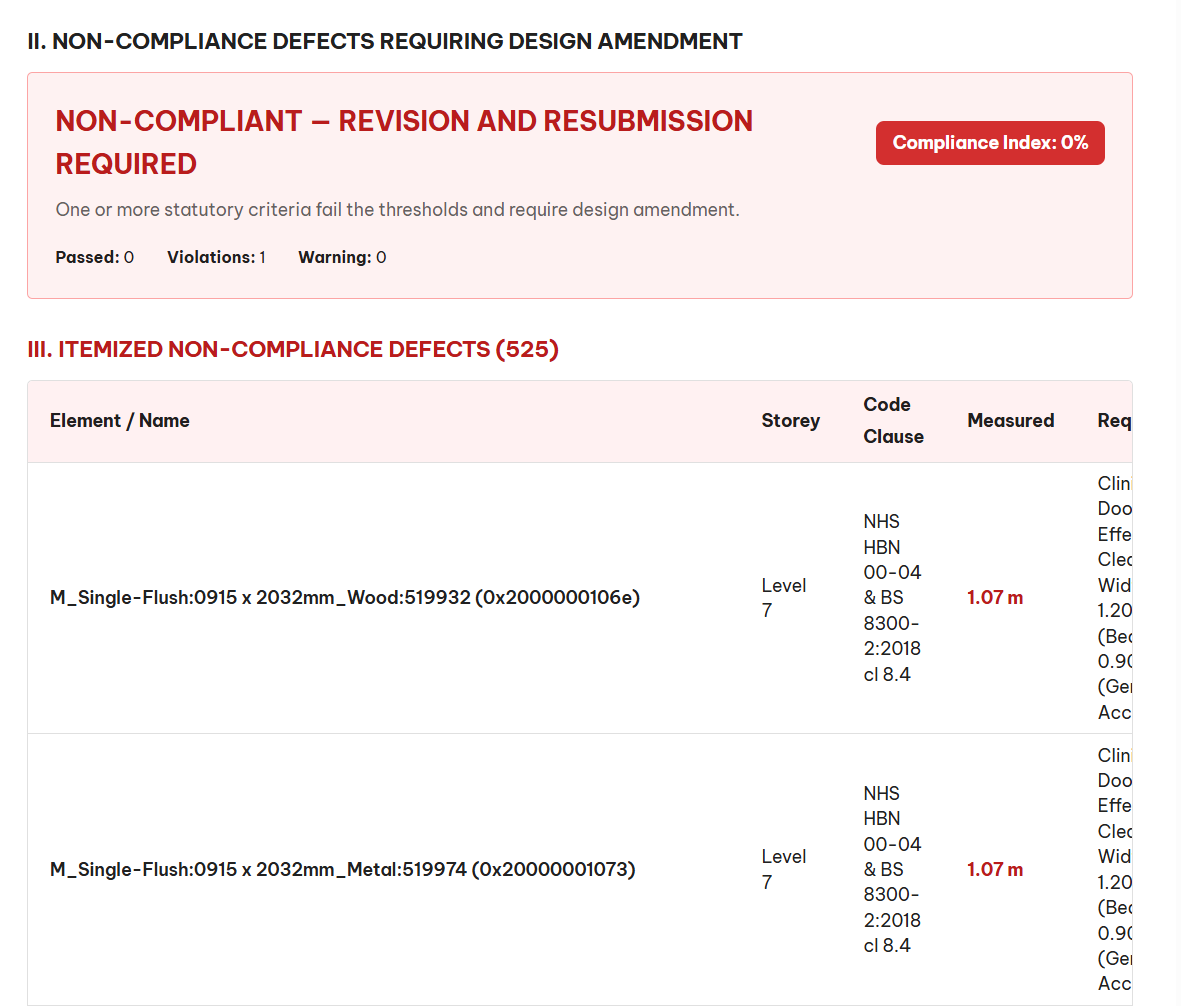
1. Door Clear Width & Swing Envelopes (DoorClearWidthHandler)
- Governing Codes: NHS HBN 00-04, BS 8300-2, Approved Document M.
- The "900mm Illusion": Nominal CAD/BIM door dimensions (such as standard $915\text{mm}$ doors) measure the structural opening or outer frame dimension. In practice, the actual clear opening is reduced by the frame stops ($2 \times 15\text{mm} = 30\text{mm}$) and the open door leaf projecting into the opening ($44\text{mm}$ thick leaf resting at $90^\circ$).
- Effective Clear Width Formula: $W_{\text{effective}} = W_{\text{nominal}} - 2 \cdot t_{\text{frame}} - t_{\text{leaf}} = 915\text{mm} - 30\text{mm} - 44\text{mm} = 841\text{mm}$ Since $841\text{mm} < 900\text{mm}$ (standard wheelchair requirement) and far below the $1,200\text{mm}$ required for acute hospital bed transfer, nominal $915\text{mm}$ doors fail compliance.
- Dynamic 3D Swing Arc: Sweeps a $90^\circ$ or $180^\circ$ cylindrical clearance arc to verify that the swinging door does not collide with handrails, radiator panels, or narrow corridor paths.
2. Floor-to-Soffit Vertical Headroom (HeadroomClearanceHandler)
- Governing Codes: NHS HBN 00-04, HTM 03-01, DMRB BD 37/01.
- Clearance Calculation: Computes the true vertical distance between the finished floor level (FFL) of the host building storey and the lowest point of overhead physical elements: $H_{\text{clearance}} = \text{BBoxLow.z} - \text{StoreyFFL.z}$
- Cross-Discipline MEP Drops: Scans structural downstand beams and overhead MEP services (
WRSH_Mechanicalsupply ducts, chilled water pipes, drainage lines) to ensure a minimum clear height ($\ge 2.40\text{m}$ in healthcare clinical areas; $\ge 5.10\text{m}$ beneath highway overpasses).
3. Corridor Bottleneck & Pinch-Point Analysis (SpatialClearanceHandler)
- Governing Codes: NHS HBN 00-04 ($\ge 2.00\text{m}$ for hospital bed transit), Network Rail NR/L2/CIV/003.
- Medial-Axis Sweep: Sweeps clinical corridor paths to identify physical encroachments (structural columns, electrical kiosks, fire hose reels) that pinch escape circulation routes below required widths.
- Virtual Space Synthesis: Automatically detects circulation corridors even when architects modeled them as generic spaces or omitted spatial boundary elements.
4. Relational GFA & Clinical Space Area (GfaSpatialAreaHandler)
- Governing Codes: NHS HBN 00-01 (Clinical Space Briefs), RICS International Property Measurement Standards (IPMS).
- Clinical Area Validation: Checks individual room footprints against statutory minimum functional sizes:
- Intensive Care Unit (ICU): $\ge 26.0\text{ m}^2$
- Operating Theatre (OR): $\ge 40.0\text{ m}^2$
- Consultation / Exam Room: $\ge 12.0\text{ m}^2$
- Inpatient Single En-Suite Bedroom: $\ge 16.0\text{ m}^2$
- Storey-by-Storey GFA Reconciliation: Compares the sum of modelled room areas against the contractual Planned Gross Floor Area with a configurable tolerance (e.g., $\pm 5%$).
5. Firecode Integrity & Compartmentation (FireRatingHandler)
- Governing Codes: NHS HTM 05-02 Firecode, Approved Document B, BS 9999.
- Host-Wall vs. Door Matching: Validates that doors mounted within fire-rated walls (e.g., $60\text{-minute}$ fire barriers) have equivalent integrity ratings (
FD60S). - Semantic Ambiguity Flagging: Flags unverified or ambiguous string entries (such as walls annotated with multiple contradictory ratings like
'20 minute, 45 minute, 60 minute').
Interactive Rule Parameters Card
Every rule exposes live configurable parameters inside the Requirements Workbench:
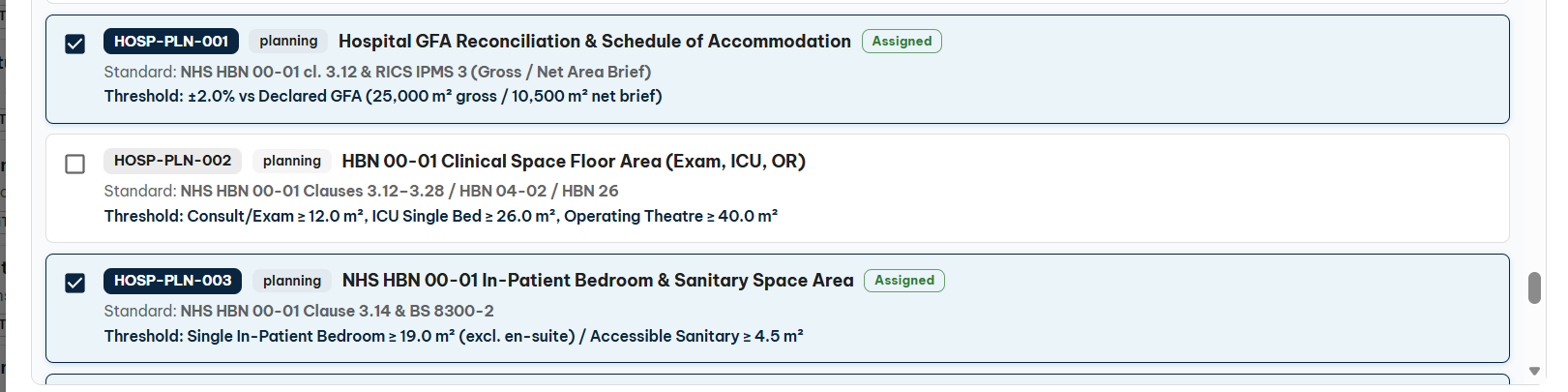
- Nominal Threshold: The baseline compliance threshold (e.g.,
1.20meters for hospital bed doors;2.40meters for soffit headroom). - Comparison Operator:
>=(greater than or equal),<=,==, or!=. - Warning Buffer: Precautionary zone threshold (e.g.,
0.10meters) triggering amber alert chips before statutory non-compliance. - Target Property / Class Filters: Configure which BIS classes and dynamic properties are harvested by the engine.
Executing Checks & Investigating Defects
- Click Run All Requirements in the workbench header to evaluate all active rules in batch mode.
- The rules list displays instant progress and result counts:
- 🟢 Pass: Element fully satisfies the threshold.
- 🟡 Warning Buffer: Element satisfies the baseline but infringes the precautionary zone.
- 🔴 Defect: Element violates statutory criteria.
- Click any non-compliant rule accordion to expand the Defect List.
- Click on an individual defect record (e.g.,
Door 0x200000010f2 - Effective width 841mm < 1200mm). - The 3D viewport automatically zooms, isolates the defective element, and highlights its spatial clash box in bright red.