Fire Index — 3D Viewport Thematic Shading & Heatmap Engine
The 3D Viewport Thematic Shading Engine transforms complex statutory fire compliance data into an intuitive, visually striking spatial representation. Embedded directly alongside the multi-lens hierarchy browser, it allows users to inspect fire resistance durations, smoke seals, and Golden Thread data readiness at a glance.
Visual Shading Modes
The upper viewport control bar provides two primary shading visualizations:
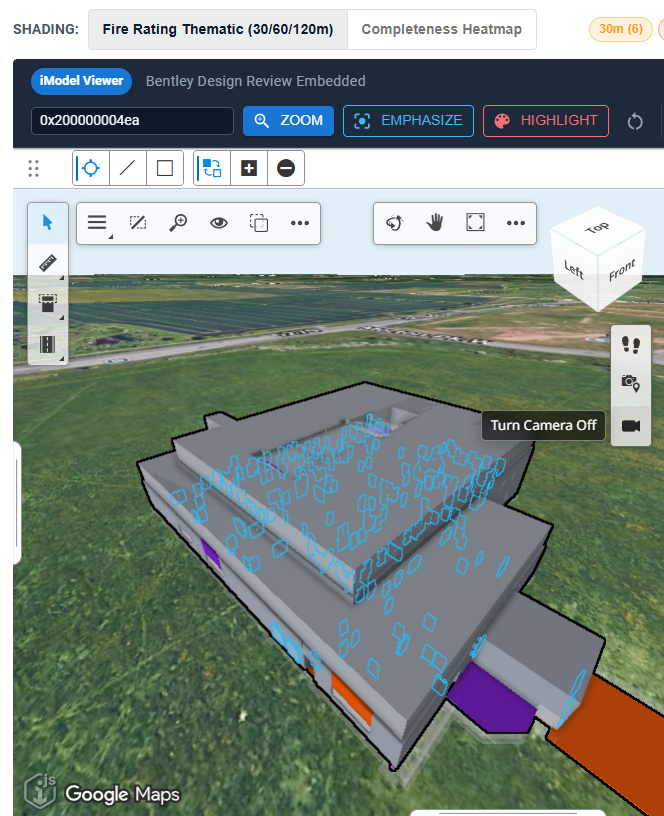
SHADING: [ Fire Rating Thematic (30/60/120m) ] [ Completeness Heatmap ]
1. Fire Rating Thematic Shading Mode
In Fire Rating Thematic mode, physical components (doors, walls, dampers, penetration seals) are shaded dynamically according to their certified fire resistance duration:
| Duration Tier | Color Hex | Color Appearance | Associated Standards / Ratings |
|---|---|---|---|
| 30 Minutes | #FC4E2A |
Gold / Orange-Red | FD30, FD30S, EI 30, E 30 |
| 60 Minutes | #E31A1C |
Vibrant Red | FD60, FD60S, EI 60, REI 60 |
| 90 Minutes | #BD0026 |
Deep Crimson | FD90, EI 90, E 90 |
| 120+ Minutes | #800026 |
Deep Purple / Maroon | FD120, EI 120, REI 120 |
| Unspecified / Unrated | #D9D9D9 |
Ghosted Gray | Elements without certified fire ratings or non-fire resisting construction. |
Interactive Shading Legend
The legend chips in the top right of the canvas display real-time element counts for each duration tier (e.g. 30 Minutes (Gold) (1), 60 Minutes (Orange) (4), 120+ Minutes (Purple) (2)). Clicking any legend tier automatically filters the tree browser to highlight matching assets.
2. Completeness Heatmap Shading Mode
The Completeness Heatmap evaluates statutory data readiness under the UK Building Safety Act Gateway criteria:
| Compliance State | Viewport Color | Meaning | Required Actions |
|---|---|---|---|
COMPLIANT |
Bright Green (#00C853) |
Full statutory compliance: verified fire rating, smoke designation, and compartment ID. | None; ready for statutory submission. |
PARTIAL |
Golden Yellow (#FFD600) |
Basic rating present, but missing Golden Thread provenance (e.g. test certificate or certifier). | Complete provenance details prior to Gateway 3. |
UNPOPULATED |
Orange (#FF9100) |
Rating is ambiguous or format does not meet BS/EN standards. | Remediate notation in authoring BIM. |
MISSING |
Vivid Red (#D50000) |
Critical life-safety gap: fire door or compartment barrier completely lacks fire rating. | Immediate design coordination required. |
High-Performance Color Caching (fire_color_cache)
To eliminate latency when switching between shading modes or loading multi-gigabyte federated models, the backend maintains a dedicated color cache table in PostgreSQL:
SELECT ec_instance_id, thematic_color_hex
FROM fire_color_cache
WHERE itwin_id = $1 AND imodel_id = $2;
- Sub-50ms Response Time: Color lookups are pre-computed during harvest jobs and delivered as a compressed key-value dictionary.
- Client-Side Batch Application: The 3D viewer applies colors via Bentley's
EmphasizeElementsAPI in a single frame render, avoiding per-element API overhead.
3D Viewport Interactive Controls
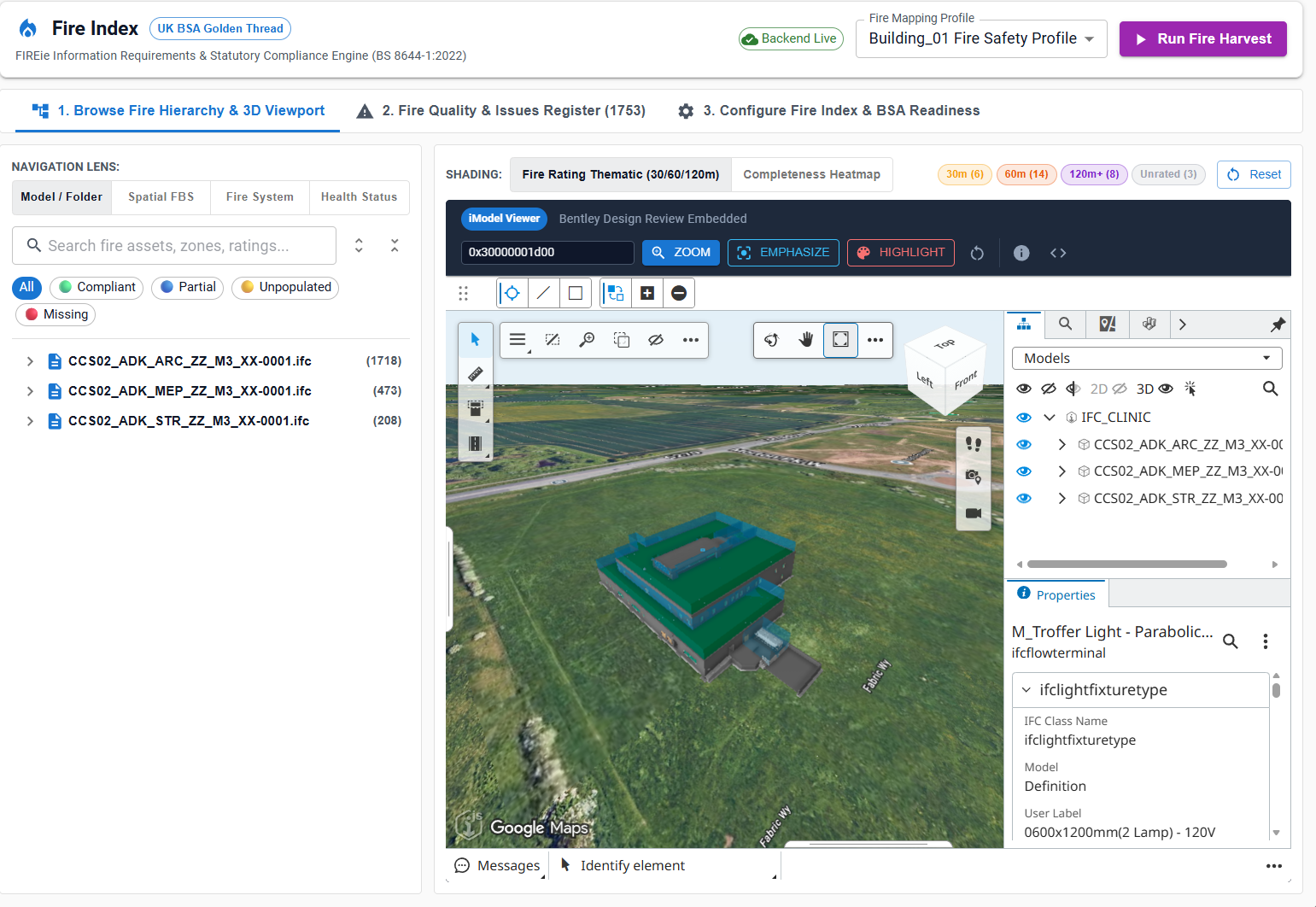
Element Quick Actions
- Element ID Input: Enter any
ECInstanceIddirectly (e.g.0x4000000016b). ZOOM: Calculates element bounding box and smoothly animates the camera to frame the component.EMPHASIZE: Highlights the selected element in high-contrast color while ghosting (50% transparency) all surrounding non-fire model geometry.HIGHLIGHT: Pulses the element outline in bright cyan for fast identification in dense MEP or structural risers.Reset: Clears all camera overrides, isolation states, and restores the full model view.