Purpose
The Settings tab enables users to set up parameters for a specific iTwin By default a quality indicator will use the defaults from the quality indicator, which may need to be varied from iTwin to iTwin (and even iModel to iModel in some cases)
Sections
Add a Configuration

To add a configuration, select the Add Configuration option
The configuration will display and show all of the indciators that are configured for that iTwin
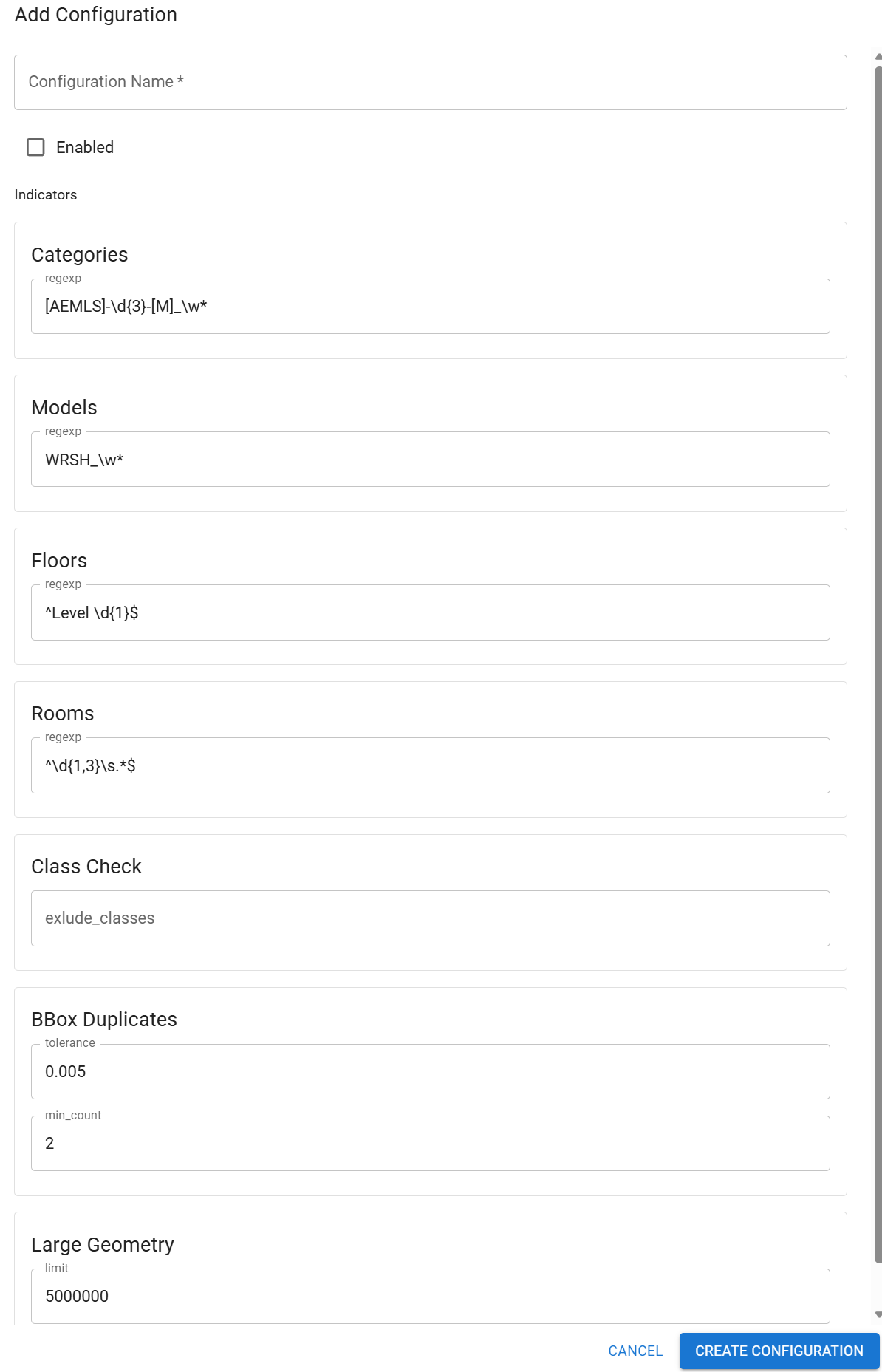 You have the option to edit all parameters, if you blank a parameter, then the defaul from the quality indicator will be used.
Note the default values for the configurartion are the current default values
You have the option to edit all parameters, if you blank a parameter, then the defaul from the quality indicator will be used.
Note the default values for the configurartion are the current default values
Enable You can enable the configuration and it will be used as the parameter for the quality indicators. If you enable more than one configuration, then the first enabled configuration will be used. Save the configuration
You will now see the configuration added to the list.
Scope
All configurations are saved with iTwin and Domain scope
Therefore when change iTwin you will see all configurations that you have saved under your domain When another user logs in to the iTwin on a different domain they will see the configuration under the iTwin scope When another user logs in to another iTwin from teh same doamin they will see the configuration for the iTwin and for their domain, which can mean more than 1 domain is enabled. Ensure you enabel the correct configuration for the current iTwin.
Quality Indicator
When a configuration is used for a Quality Indicator, the configure icon will be shown as GREEN
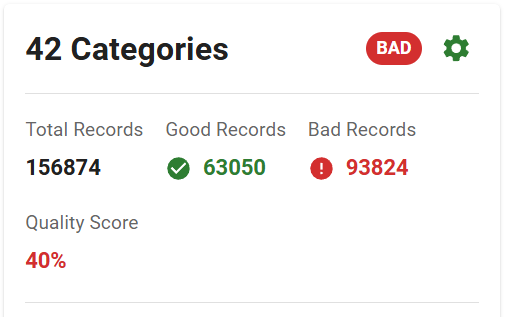 If you edit the parameters for the indicator, they will override the configuration as normal
Notes
- You cannot remove the iTwin and Domain scope, but there may be instances where this is required, if this is a requirement, request a feature enhancement Feedback