3D Viewer & Audit Workbench
Purpose
The 3D Viewer & Audit Workbench delivers an integrated visual environment where geometric digital twin models and statutory compliance data exist in unison. Rather than forcing auditors to cross-reference static PDF clash matrices with external BIM models, BIM Checker evaluates models live and projects compliance verdicts directly into the 3D WebGL viewport.
The Dual-Inspection Interface
The requirements workspace is split into two coordinated panels:
- 3D WebGL Viewport (
NativeITwinViewer):- Renders massive multi-gigabyte infrastructure and hospital digital twins directly in modern web browsers without plugins.
- Provides smooth orbit, pan, fly-through, and floor-by-floor section cut tools.
- Interactive Requirements Workbench (
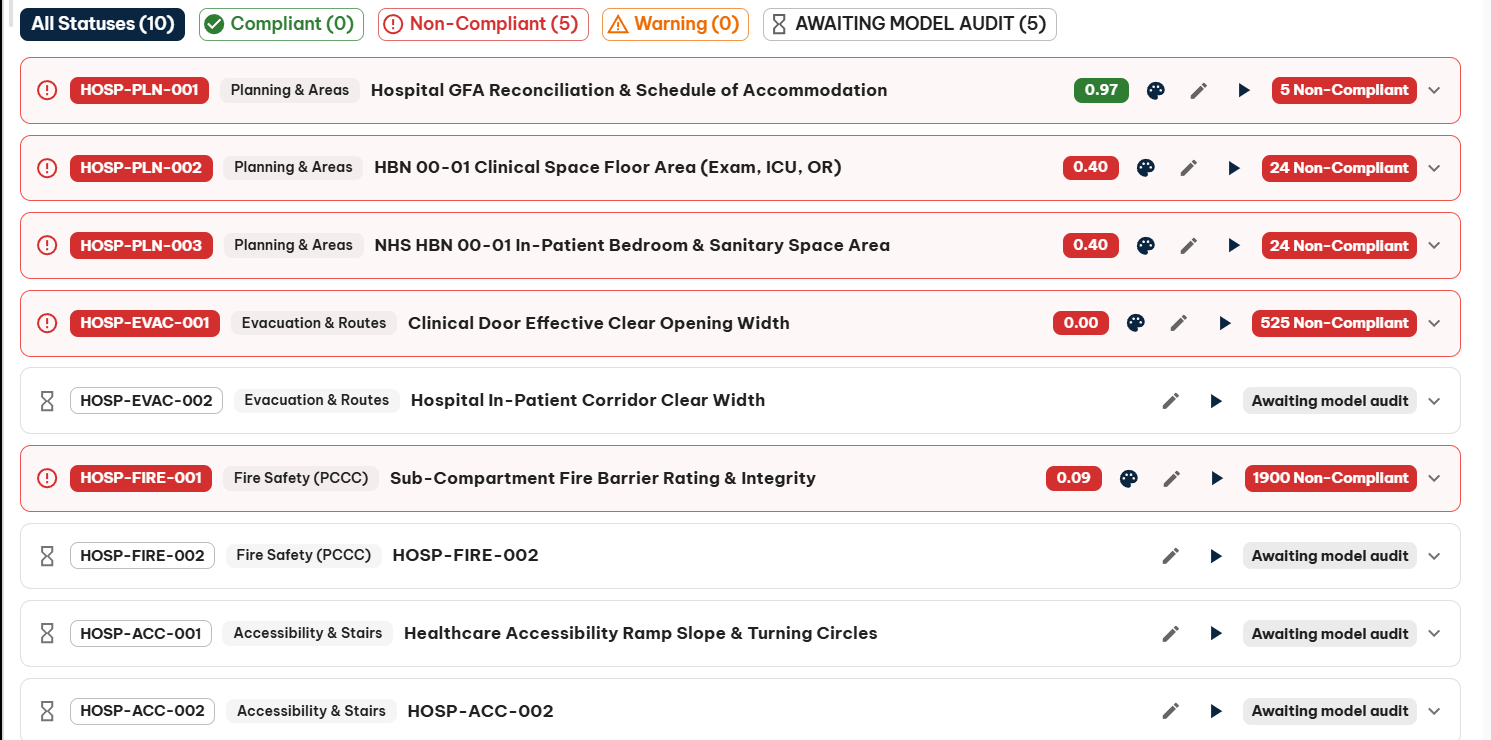
BimRequirementsPanel):- A collapsible side panel (width adjustable from $340\text{px}$ to $680\text{px}$) hosting the active rule accordion, parameter cards, execution controls, and defect registries.
Thematic Audit Shading (AuditColorService)
When an audit is executed or hydrated from a previously published changeset, BIM Checker applies instant thematic color-coding across physical elements:
| Color | Audit State | Visual Meaning |
|---|---|---|
| 🟢 Emerald Green | Compliant | Element completely satisfies all evaluated statutory thresholds (e.g., door effective width $\ge 1.20\text{m}$, soffit headroom $\ge 2.40\text{m}$). |
| 🟡 Amber Yellow | Warning Buffer | Element passes the statutory minimum but falls within the precautionary tolerance buffer (e.g., headroom between $2.40\text{m}$ and $2.50\text{m}$). |
| 🔴 Crimson Red | Defect | Element violates statutory regulations or design briefs. Click to isolate and inspect defect parameters. |
| ⚪ Semi-Transparent Ghost | Neutral / Context | Non-evaluated building structure (e.g. foundational slabs, exterior facade) displayed as neutral context. |
Levels & Models Hierarchy Panel
When auditing large multi-storey facilities like acute hospitals, isolating specific storeys and discipline systems is essential:
- Storey Isolation: Toggle individual levels (e.g., isolate
Level 2orLevel 7A) to peel away upper storeys and inspect internal corridor circulation. - Discipline Visibility: Enable or disable specific discipline models (e.g., view only
WRSH_ArchitecturalandWRSH_Mechanicalto analyze ductwork headroom conflicts). - Category Control: Control visibility of specific drawing categories (such as ceilings, structural framing, or pipe accessories).
Defect Triage & Camera Zoom-to-Element
Auditors can resolve spatial non-compliance in seconds:
- In the workbench defect list, click on any flagged element row.
- The 3D camera smoothly glides and centers onto the offending asset.
- Surrounding elements fade to translucent wireframes, emphasizing the target element and its bounding clash envelope.
- The property grid displays all live BIS attributes and raw ECSQL property values for immediate design remediation.